Membership Sales Page — Warm Community Variant
A membership sales page built around belonging, regular practice, and ongoing connection rather than a content list, pilots an ongoing yoga community but the pattern fits any creator selling a recurring membership rooted in community.
Best for: Creators selling a recurring community membership where the felt sense of belonging matters as much as the included content.
Live preview — scroll inside the frame to see the full page.
What it does
- Belonging-first hero — the opening frames the membership as a place rather than a content product
- Member experience walkthrough — a section describes what a typical month inside looks and feels like (live sessions, on-demand, community moments)
- Live + on-demand schedule preview — a snapshot of recurring sessions and the on-demand library shows the rhythm of access
- Community features highlight — the human side of the membership (group circles, threaded check-ins, peer support) gets its own visual block
- Member stories and quotes — short testimonials anchor the sales pitch in real members' words
- Membership pricing options with soft CTA — pricing sits near the bottom with warm, invitation-style CTA copy
Best use cases
- Yoga and wellness teachers — selling an ongoing community membership rooted in regular practice
- Coaches — running a monthly group container with live calls and a member library
- Mindfulness and meditation creators — building a recurring practice space with community
- Creative and artistic memberships — selling a community of practitioners more than a content library
- Niche community operators — pitching belonging as the core value of the subscription
What you can change with your DNA
When you run this through the remix skill, your CCOS DNA — brand, voice, audience — drives these decisions automatically:
- Colors — slots for page background, hero accent, schedule card background, community block background, and the CTA
- Fonts — one display serif for headlines and a clean body font for descriptions, schedule details, and pricing
- Copy — hero invitation, member experience description, live + on-demand schedule, community features, two to four member quotes, pricing options, and CTA copy
- Images — community photos, serene practice imagery, member moment captures, and warm space photography
- Behavior — choose whether the schedule is static or live-updated, how testimonials are arranged (rotating vs grid), and where the CTA sends the visitor
How remixing works
From "swiped it" to "shipped it" in three steps.
Pick a remix
Browse the library, find one that fits — like this one.
Run it through your DNA
The remix skill uses your CCOS DNA to swap colors, fonts, copy, and structure so it lands as yours.
Ship it
Paste the finished HTML into Thinkific, Kajabi, WordPress, or any platform that takes embed code.
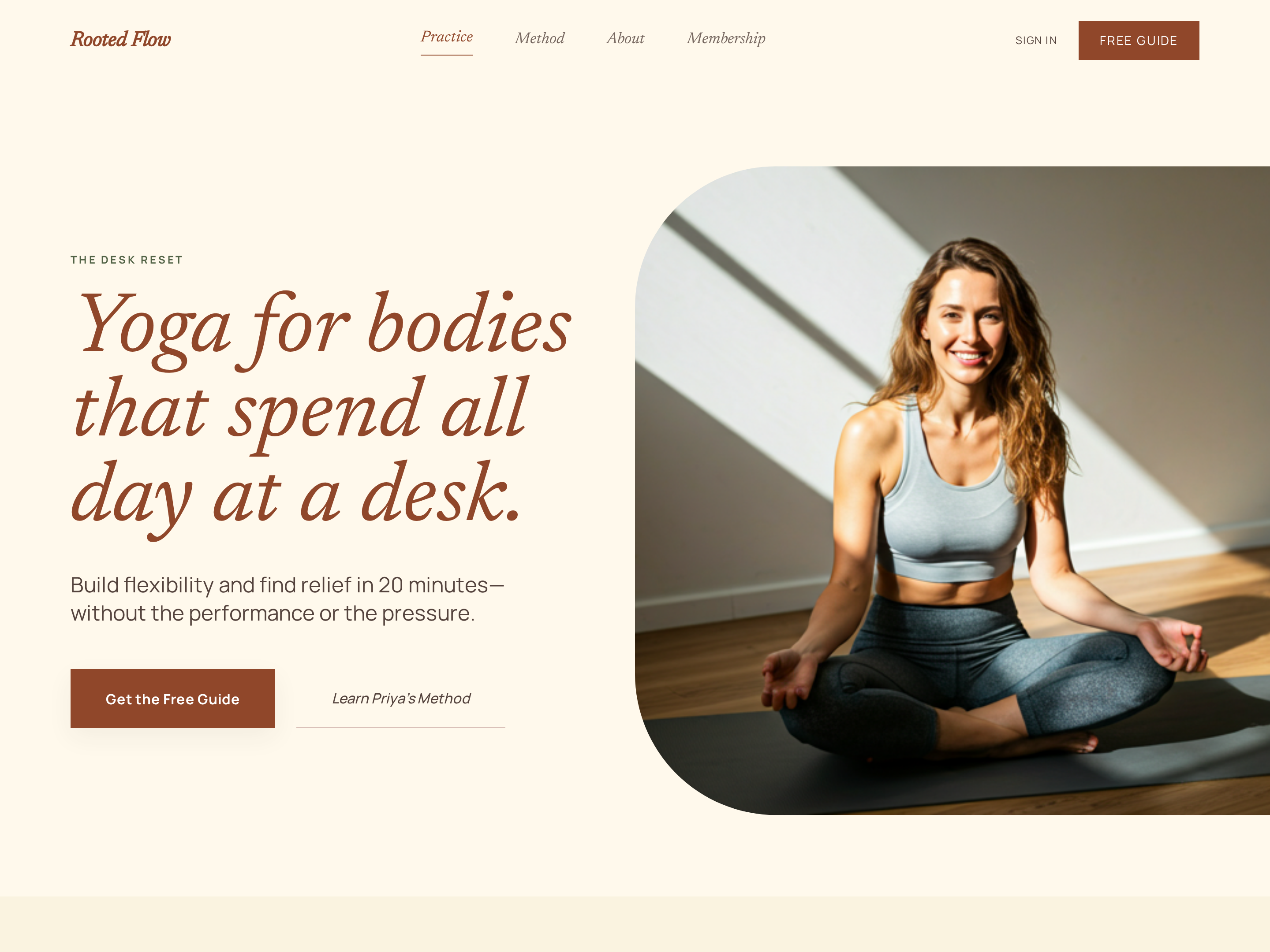
Wellness Homepage — Warm Earthy Light-Mode Variant
A grounded homepage with a serene hero, featured offerings, and a warm invitation-style CTA, pilots a yoga teacher's site but the pattern fits any wellness, lifestyle, or slow-living creator.
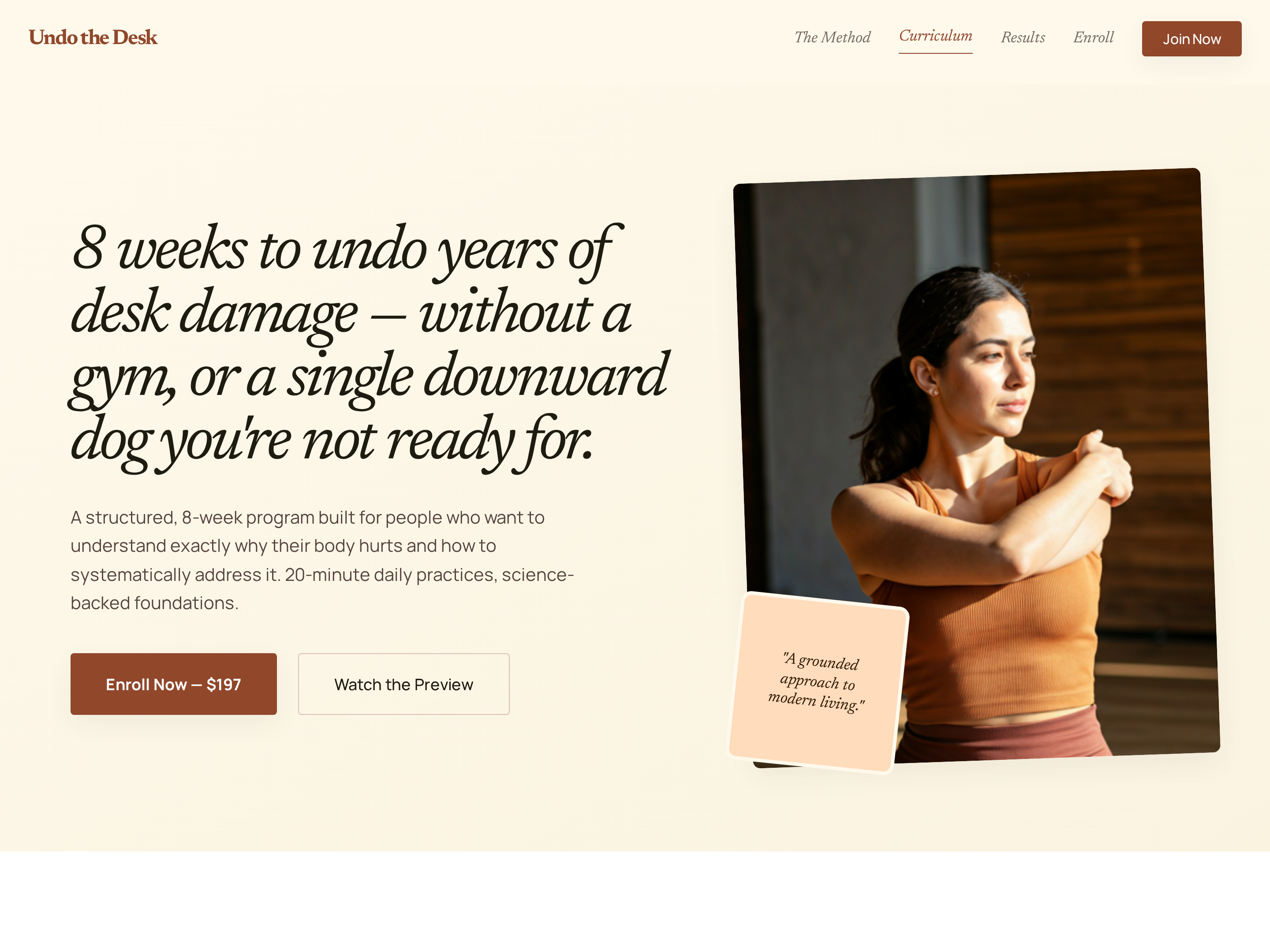
Long-Form Course Sales Page — Warm Editorial Variant
A warm, editorial long-form sales page that walks visitors through pain, promise, weekly progression, transformation, and pricing in one continuous narrative — pilots a yoga course for desk workers but the pattern fits any niche course aimed at a specific audience.
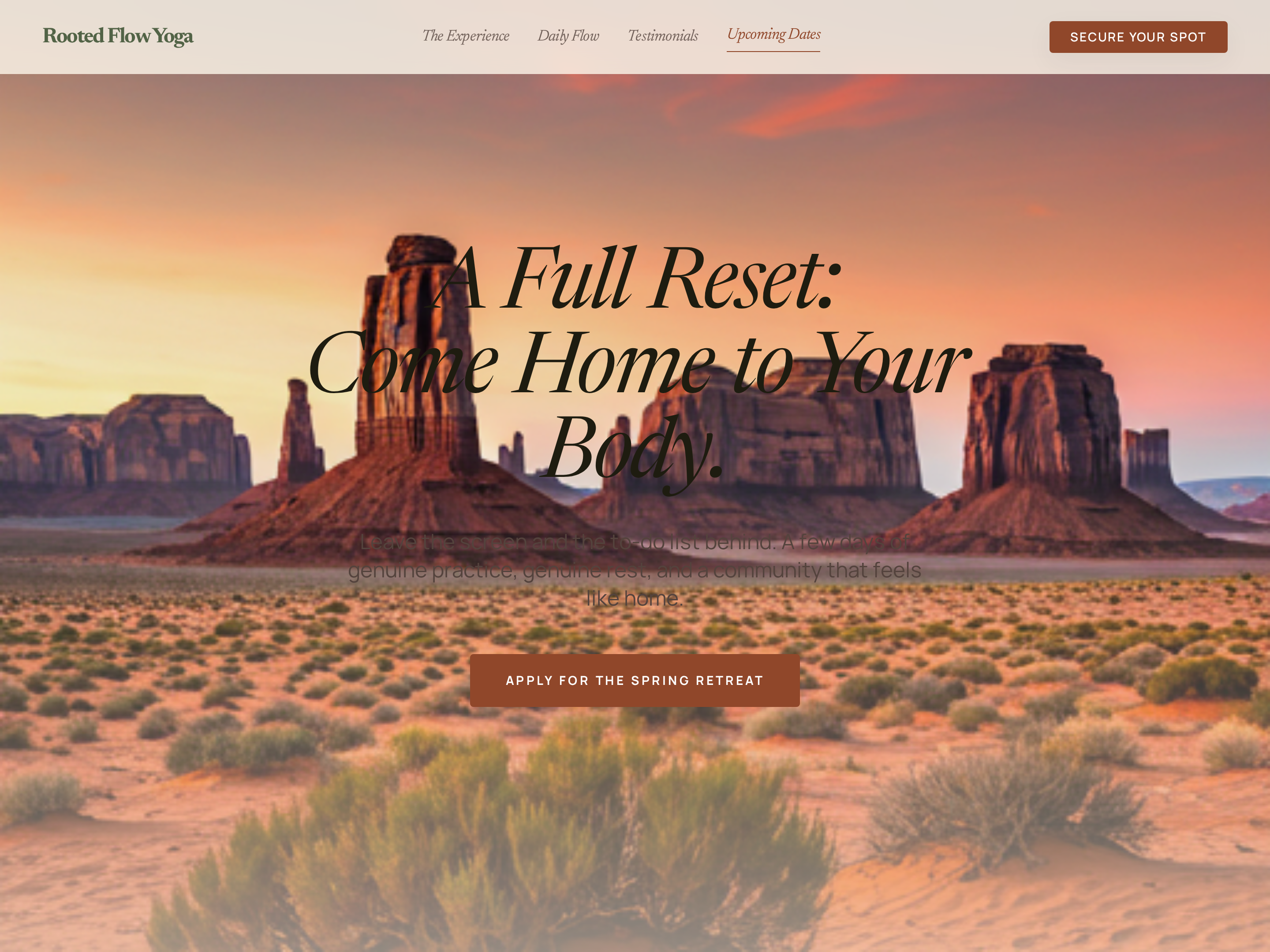
Retreat Sales Page — Warm Editorial Variant
A magazine-feeling retreat sales page with itinerary, location, transformation, and pricing in unhurried sections, pilots a yoga retreat but the pattern fits any creator selling an immersive in-person or online experience.
Create a new list
Save your favorites
Email me a magic link and I'll add this to your favorites list.