Bold Contact Page — Dark-Mode Form Variant
A dark-mode contact page with a styled form for inquiries plus secondary contact methods, pilots a fitness coaching brand but the pattern fits any creator, coach, or service business who wants a confident contact page that matches a bold brand.
Best for: Contact pages for creators, coaches, and service businesses whose brand reads as bold or performance-driven and who want a single styled form as the primary contact path.
Live preview — scroll inside the frame to see the full page.
What it does
- Styled inquiry form — captures name, email, message, and an optional inquiry-type dropdown in a clean dark layout
- Inquiry-type routing — the dropdown lets visitors flag whether it's a press, partnership, support, or general inquiry
- Secondary contact details — supplementary email, social links, or scheduling link for visitors who prefer not to use the form
- Confirmation messaging — the form surfaces a friendly success state once submitted so visitors know they're heard
- On-brand visual register — the page maintains the bold dark identity of the rest of the site rather than dropping to default form styling
Best use cases
- Coaches and consultants — direct inquiry form for discovery calls and engagements
- Course creators — contact page for press, partnerships, and student support routing
- Agencies — RFP and project-inquiry intake form with type-based routing
- Speakers and authors — booking inquiries with topic and event-type fields
- Memberships and SaaS — sales and partnership contact form alongside self-serve support links
What you can change with your DNA
When you run this through the remix skill, your CCOS DNA — brand, voice, audience — drives these decisions automatically:
- Colors — slots for a near-black background, the form-button accent, input background and border colors, and label and body text colors
- Fonts — two roles: a confident display font for the page headline and a clean body font for labels, inputs, and secondary text
- Copy — page headline, intro paragraph, form labels, button label, success message, and any secondary contact details
- Images — optional portrait, environment photo, or motivational image to break up the form area
- Behavior — tune which fields are required, whether the inquiry-type dropdown is shown, and the post-submit behavior
How remixing works
From "swiped it" to "shipped it" in three steps.
Pick a remix
Browse the library, find one that fits — like this one.
Run it through your DNA
The remix skill uses your CCOS DNA to swap colors, fonts, copy, and structure so it lands as yours.
Ship it
Paste the finished HTML into Thinkific, Kajabi, WordPress, or any platform that takes embed code.
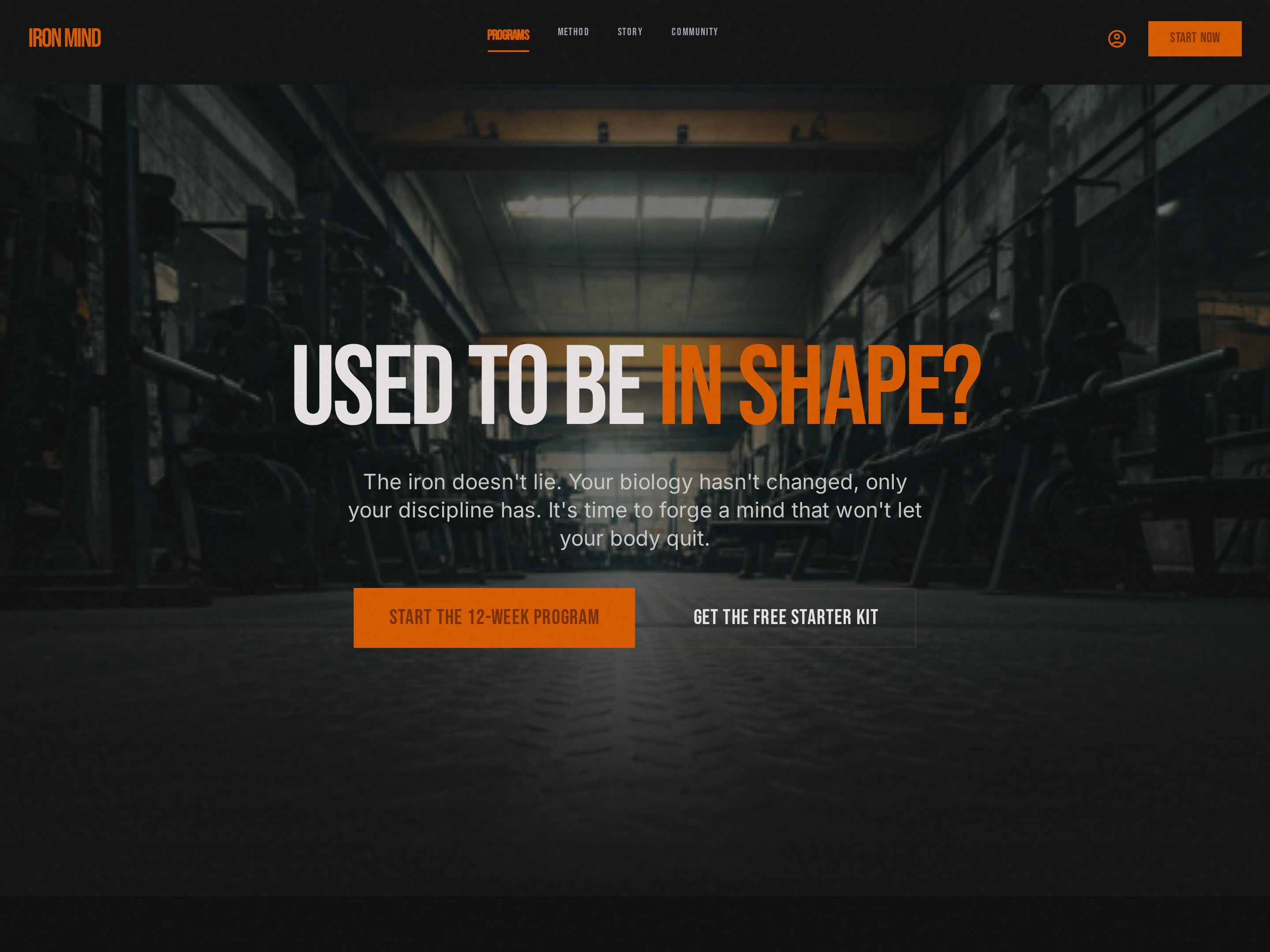
Bold Single-CTA Homepage — Dark-Mode Hero Variant
A dark-mode homepage anchored by a high-contrast hero with a single bold CTA, pilots a strength training brand but the pattern fits any creator, coach, or business whose brand reads as confident, premium, or performance-driven.
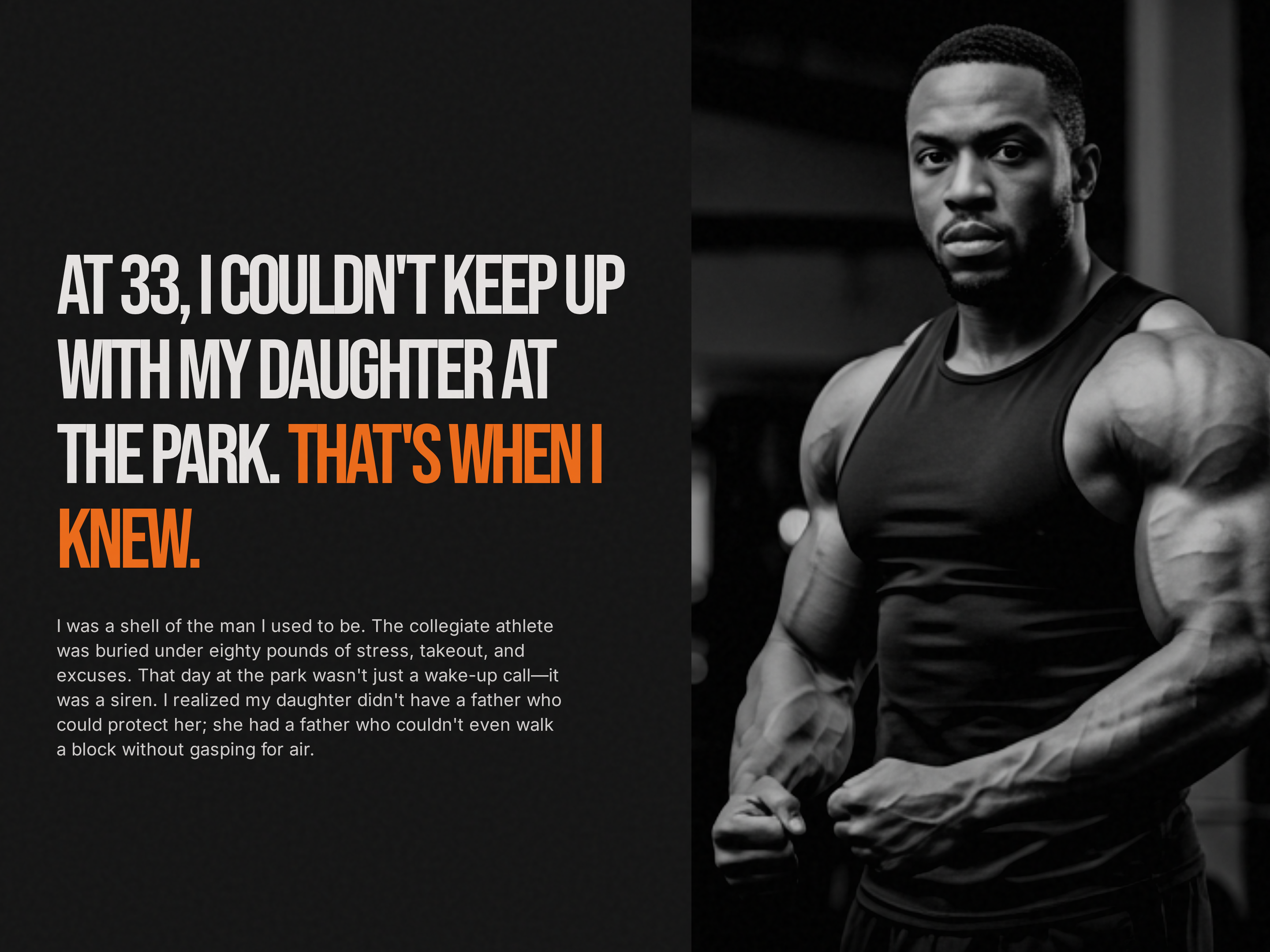
Bold About Page — Dark-Mode Authority Variant
A dark-mode about page that builds credibility through founder story, credentials, and philosophy, pilots a fitness coach narrative but the pattern fits any creator, coach, or consultant who needs a high-contrast, authority-leaning brand story.
Create a new list
Save your favorites
Email me a magic link and I'll add this to your favorites list.